
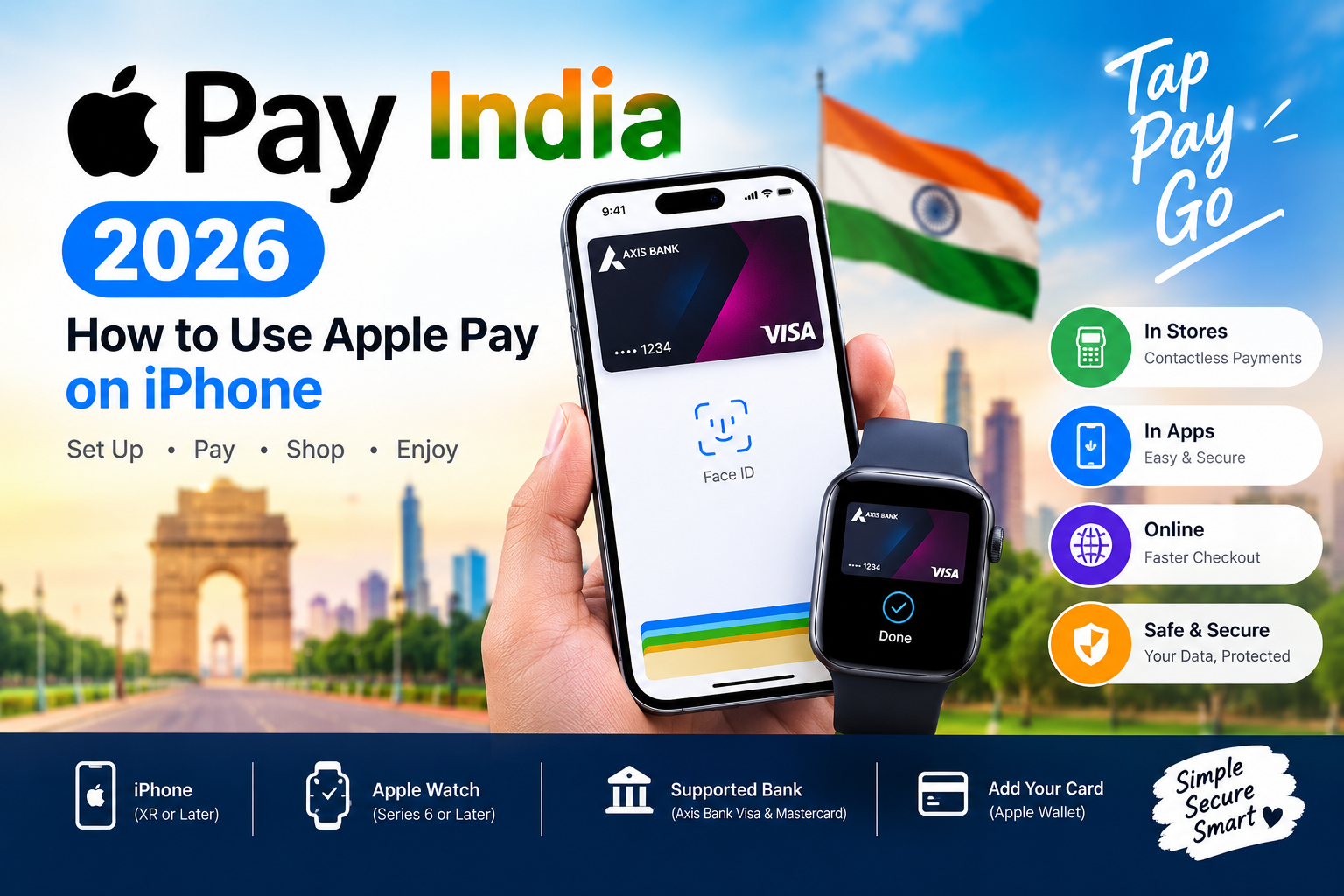
Apple Pay is finally available in India. Apple officially launched Apple Pay in India on September 30, 2026, allowing eligible users to make secure contactless payments with supported Apple devices.
At launch, Apple Pay in India supports eligible Axis Bank-issued Visa and Mastercard credit cards. Users can add an eligible card to Apple Wallet and use Apple Pay at participating stores, apps and websites that support Apple Pay or contactless payments.
In this complete guide, we explain how to use Apple Pay in India, how to add an Axis Bank card, supported iPhone models, Apple Watch payments, online payments, security, fees, limitations and common problems.
Important: Apple Pay availability and supported banks can change as additional issuers are added. Always check Apple’s current India support page and your bank’s latest information before adding a card.
What Is Apple Pay?
Apple Pay is Apple’s digital payment service that lets you use an eligible credit or debit card through the Apple Wallet app instead of carrying the physical card.
With a compatible iPhone, Apple Watch or iPad, you can use Apple Pay for eligible purchases in stores, apps and on the web.
In physical stores, Apple Pay uses NFC contactless technology to communicate with a compatible payment terminal. You authenticate the payment using Face ID, Touch ID or your device passcode.
Apple says your actual card number is not stored on Apple’s servers or shared with merchants. Instead, Apple Pay uses a unique Device Account Number and security technology to protect payment information.
Is Apple Pay Available in India?
Yes. Apple Pay is officially available in India as of September 30, 2026.
Apple’s initial India launch supports Axis Bank-issued Visa and Mastercard credit cards. Apple states that more banks and eligible cards may be added over time.
At launch, Apple Pay can be used at participating merchants across India, including Apple Store locations and a number of popular services and retailers.
Examples mentioned by Apple include:
- Apple Store
- Blinkit
- Chaayos
- Croma
- Ixigo
- Reliance brands
- Tata 1mg
- Zomato
- Other participating merchants
The exact availability depends on the merchant, payment terminal, card and payment network.
Which Banks Support Apple Pay in India?
At the time of Apple’s India launch, the official supported-card list includes:
Axis Bank — eligible Visa and Mastercard credit cards
Not every card issued by a participating bank is necessarily supported. Apple recommends checking with the card issuer if you are unsure whether your particular card can be added.
As Apple expands Apple Pay in India, additional banks and card types may become available.
Does Apple Pay Support UPI?
Apple Pay and UPI are different payment systems.
Apple Pay’s India launch is based on adding eligible payment cards to Apple Wallet. It should therefore not be confused with UPI apps such as Google Pay, PhonePe or BHIM.
If you want to make a normal UPI payment using a UPI ID or QR code, you will generally continue using a UPI-supported banking or payment application.
What Do You Need to Use Apple Pay in India?
Before setting up Apple Pay, make sure you have:
- A compatible Apple device.
- A supported version of Apple’s operating system.
- An eligible card from a participating card issuer.
- An Apple Account signed in on the device.
- Face ID, Touch ID or a device passcode.
- A bank/card account that can complete any required verification.
Apple’s current requirements should always be checked because device and software compatibility can change.
Compatible iPhone Models for Apple Pay in India
Apple’s India launch information states that Apple Pay requires:
- iPhone XR or later
- iOS 18 or later
This means users with supported iPhone models can potentially use Apple Pay, provided they also have an eligible payment card.
Having a compatible iPhone alone does not guarantee that your bank card will work.
How to Set Up Apple Pay in India
Setting up Apple Pay is relatively simple.
Step 1: Update Your iPhone
First, update your iPhone to the latest supported version of iOS.
Go to:
Settings → General → Software Update
Install an available update if your device supports it.
Step 2: Open Apple Wallet
Open the Wallet app on your iPhone.
Look for the + Add Card button.
Tap it to begin adding your payment card.
Step 3: Select Debit or Credit Card
Select:
Debit or Credit Card
Follow the instructions displayed on your iPhone.
You may be able to scan the physical card or enter the card information manually.
Step 4: Verify Your Card
Your bank may ask you to complete additional verification.
Depending on the issuer, this could involve authentication through the bank’s app or another verification process.
Follow the instructions provided by your bank.
Step 5: Complete Setup
Once your card has been approved, it will appear in Apple Wallet.
Your card is now ready to be used with Apple Pay wherever the card and merchant are supported.
How to Add an Axis Bank Card to Apple Pay
For India’s initial Apple Pay launch, Apple says eligible Axis Bank Visa and Mastercard credit cards can be added.
Apple also states that customers can add an eligible card through the latest version of the Axis Bank app.
Alternatively, you can open Apple Wallet, tap the + button and follow the card-addition instructions.
If your card cannot be added, check:
- Whether your card type is eligible
- Whether your iPhone software is supported
- Whether your Axis Bank app is updated
- Whether your card is active
- Whether additional verification is required
- Whether your bank has temporarily restricted the card
If the problem continues, contact Axis Bank for card-specific support.
How to Pay With Apple Pay at a Store in India
Using Apple Pay at a contactless payment terminal is straightforward.
On an iPhone with Face ID
- Double-click the Side button.
- Your default Apple Pay card will appear.
- Authenticate using Face ID.
- Hold the top of your iPhone near the contactless payment terminal.
- Wait for the payment confirmation.
That’s it.
On an iPhone with Touch ID
- Rest your finger on Touch ID.
- Hold the iPhone near the contactless payment terminal.
- Wait for the confirmation.
Apple Pay Contactless Symbol
Look for the contactless payment symbol at the checkout terminal.
If the merchant’s terminal supports compatible contactless payments and your card is accepted, Apple Pay can be used.
How to Use Apple Pay With Apple Watch
Apple Pay can also be used with a compatible Apple Watch.
After adding an eligible card to Apple Wallet on the Apple Watch:
- Double-click the side button on the Apple Watch.
- Your default card will appear.
- Hold the Apple Watch display near the contactless reader.
- Wait for the confirmation.
Apple’s India launch states that Apple Watch Series 6 or later is supported when paired with an iPhone XR or later.
Can You Use Apple Pay Without Internet?
Yes.
For compatible in-store transactions, Apple Pay does not require an active Wi-Fi or cellular connection because the device communicates with the payment terminal using NFC.
However, transaction information may not immediately appear in your transaction history until your device reconnects to the internet.
This means you don’t necessarily need mobile data just to make a supported contactless payment.
How to Use Apple Pay for Online Shopping
Apple Pay can also be used for supported online purchases and apps.
When a participating website or app offers an Apple Pay button:
- Select Apple Pay at checkout.
- Review your payment and shipping information.
- Select the appropriate card if necessary.
- Confirm the purchase using Face ID, Touch ID or your passcode.
- Wait for the payment confirmation.
This can be faster than manually entering your card number, expiry date and other payment details.
Can Apple Pay Be Used in Apps?
Yes.
Apple Pay can be used inside participating apps that offer Apple Pay at checkout.
For example, Apple says Apple Pay is available across participating merchants and apps in India.
The availability of Apple Pay can vary from one app to another, so look for the Apple Pay button during checkout.
Can Apple Pay Be Used on Websites?
Yes.
Apple Pay supports eligible online purchases on participating websites.
Apple also says Apple Pay works with participating third-party browsers. Depending on the browser and merchant implementation, the checkout experience may involve scanning a QR code with your iPhone.
Is Apple Pay Safe in India?
Security is one of the main features of Apple Pay.
When you add a supported card, Apple Pay does not simply give the merchant your physical card number during payment.
Apple says a unique Device Account Number is assigned to the card and stored securely in the device’s Secure Element.
During a transaction, authentication can involve:
- Face ID
- Touch ID
- Device passcode
Apple also states that the actual card number isn’t stored on Apple’s servers and isn’t shared with merchants.
This provides an additional layer of protection compared with directly handing over a physical card.
What Happens if Your iPhone Is Lost?
If your iPhone is lost or stolen, you can use Find My to put the device into Lost Mode and suspend Apple Pay.
You can also remotely remove payment cards from Apple Wallet when necessary.
This is one reason it is important to keep Find My enabled on your Apple devices.
Does Apple Charge a Fee for Apple Pay?
Apple does not charge users a fee for making purchases with Apple Pay.
However, your card issuer can still apply its normal fees or charges.
For example, international transactions, currency conversion or other card-specific charges may depend on your bank and card terms.
Always check your card’s terms for applicable charges.
Apple Pay vs UPI in India
Apple Pay and UPI serve different purposes.
| Feature | Apple Pay | UPI |
| Main technology | Card/token-based payments | Bank-account based payments |
| Typical setup | Add eligible card to Wallet | Link bank account |
| Contactless NFC | Yes | Depends on app/merchant |
| UPI ID | No | Yes |
| QR payments | Merchant-dependent | Common |
| Face ID/Touch ID | Yes | Depends on app/device |
| Apple Wallet integration | Yes | No |
| Supported cards/banks | Issuer dependent | Bank/UPI participant dependent |
For many Indian users, Apple Pay can be viewed as an additional way to use supported payment cards rather than a replacement for UPI.
Apple Pay Not Working in India? Try These Fixes
If Apple Pay isn’t working, try the following steps.
1. Check Your Card
Make sure your card is actually eligible for Apple Pay.
At launch, Apple lists eligible Axis Bank Visa and Mastercard credit cards.
2. Update iOS
Go to:
Settings → General → Software Update
Install the latest compatible software.
3. Update Your Bank App
If your bank requires its app for card verification, make sure the app is updated.
4. Check Face ID or Touch ID
Apple Pay requires device authentication.
Make sure Face ID, Touch ID or your passcode is properly configured.
5. Check the Payment Terminal
Ask the merchant whether the terminal supports contactless payments.
6. Try Again
Hold the top of your iPhone close to the contactless reader for a few seconds.
7. Contact Your Bank
If the card cannot be added or a transaction is declined, your card issuer may need to investigate the issue.
Apple Pay India FAQs
Is Apple Pay available in India in 2026?
Yes. Apple officially launched Apple Pay in India on September 30, 2026.
Which bank supports Apple Pay in India?
At the initial launch, Apple lists eligible Axis Bank Visa and Mastercard credit cards. Additional banks may be added later.
Can I use Apple Pay with an iPhone?
Yes, provided your iPhone is compatible, has the required software and your payment card is eligible.
Can I use Apple Pay with Apple Watch?
Yes. Compatible Apple Watch models can be used for supported contactless payments.
Can I use Apple Pay without an internet connection?
Supported in-store payments can work without Wi-Fi or cellular connectivity because Apple Pay uses NFC to communicate with the payment terminal.
Does Apple Pay work with UPI?
Apple Pay is not the same as UPI. Apple’s India launch is based on supported payment cards added to Apple Wallet.
Is Apple Pay free?
Apple does not charge a fee for using Apple Pay to make purchases. Your bank or card issuer may still apply its normal charges.
Can I use Apple Pay at Zomato?
Apple lists Zomato among merchants accepting Apple Pay at launch, although availability can depend on the particular checkout and supported payment configuration.
Can I use Apple Pay at Blinkit?
Apple lists Blinkit among merchants accepting Apple Pay at launch. Availability may vary by checkout and eligible payment setup.
Can I use Apple Pay outside India?
Apple Pay works in many countries and regions where it is supported. However, card availability, merchant acceptance and foreign transaction fees can vary by country and card issuer.
Final Verdict: Should You Set Up Apple Pay in India?
Apple Pay’s arrival in India gives iPhone and Apple Watch users another way to make contactless payments using supported cards.
The initial launch is limited to eligible cards from participating issuers, with Axis Bank Visa and Mastercard credit cards supported at launch. Apple has also indicated that the supported-bank list can expand over time.
For users with an eligible card, setting up Apple Pay can make supported in-store and online payments more convenient while keeping the physical card number protected through Apple’s tokenization and device security technology.
As Apple Pay expands to additional banks and cards in India, its usefulness is likely to depend on how quickly issuer and merchant support grows.
Last updated: October 2026
Official Sources
For the latest supported-card information, device requirements and security information, check Apple’s official Apple Pay pages and Apple Support documentation.
- How to Screenshot on Windows, Mac, iOS, and Android — useful from the iPhone/iOS section.
- Mac Scrolling Screenshot Without Software: 2026 Hacks — useful for readers interested in Apple/Mac tutorials.
- How to Retrieve Lost WhatsApp Databases and Messages After Failed iOS 18 Update — useful from a broader iPhone/data-security section.
- AppInHindi.in Homepage
For the Apple Pay facts, use these authoritative external backlinks/references:
- Apple — Apple Pay launches in India
- Apple Pay India — Official Apple page
- Apple Support — Set up Apple Pay
- Apple — Supported banks in India